From entries to prize delivery: the operator side of Livid Competitions
by Livid, Product & engineering studio

Running a competition involves work that customers rarely see. Someone needs to check the entries, deal with questions, prepare customer emails and keep track of prizes after the result is announced. Those jobs are part of the operator tools in Livid Competitions.
The public customer demo shows sample competitions and selected entry states. It uses fictional data, with no real prizes or payments. The operator tools are shown separately in a walkthrough, where we can discuss how your business would use them. Here is the work those tools cover.
These screenshots show the Avid reference operator in local development. Settings and records are sample data. Prize identity labels were changed only in the browser for publication. No entries, draws, campaigns or delivery updates were submitted.
Setting up the competition
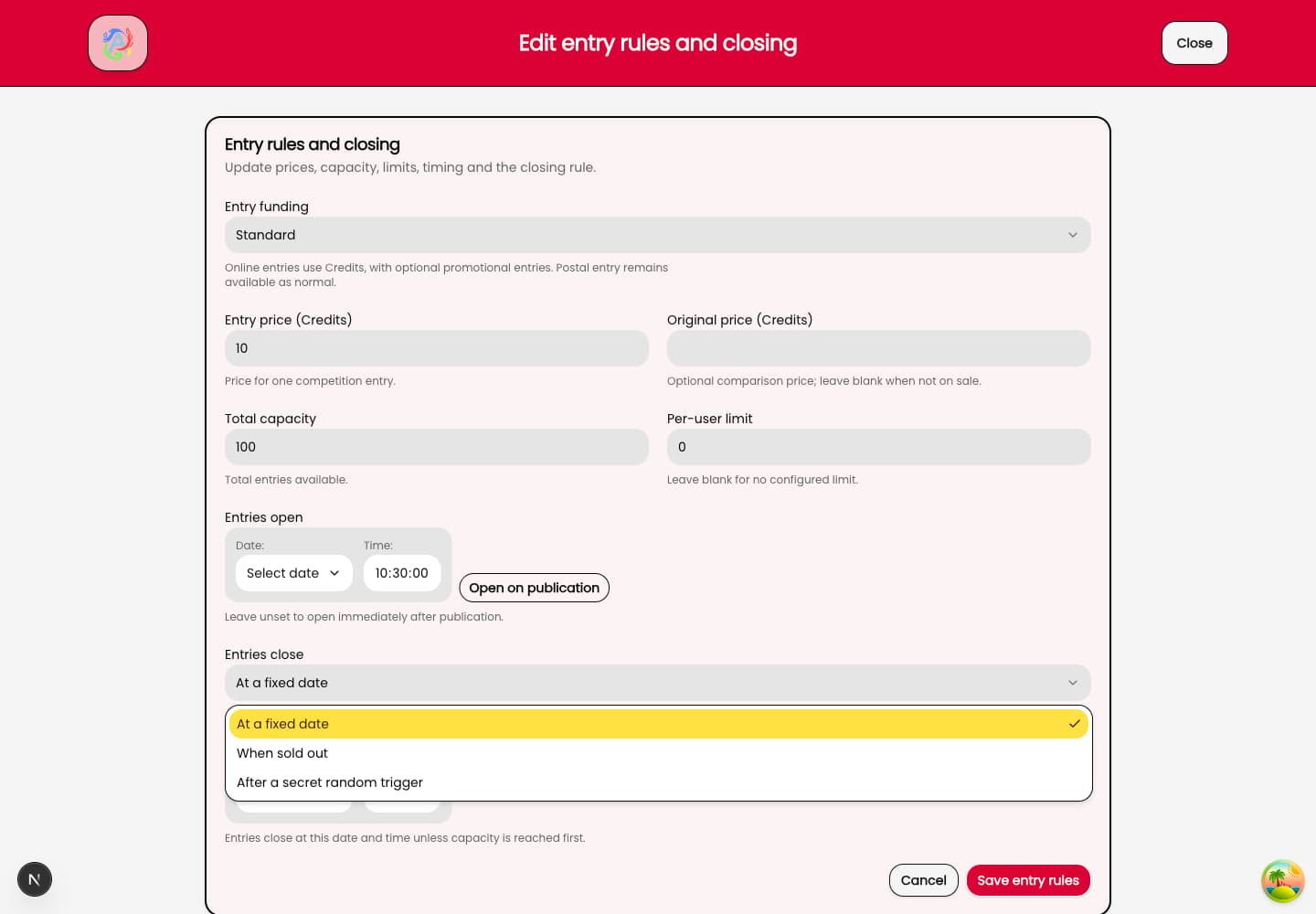
The closing rule is one of the decisions to make before entries open. Livid Competitions supports a fixed closing date, closing when the competition fills, and a countdown triggered after an entry threshold. The right choice depends on the competition you intend to run and the terms you publish to customers.
You can also include Instant Wins alongside the main prize. These can be physical prizes, Credits or promotional-entry rewards. A physical prize brings delivery work with it, so it is worth thinking about who will handle claims and dispatch while you are planning the competition.
View full-size screenshot (opens in a new tab)
Keeping entries and customer records connected
The administration tools include customer search and competition management. Free postal entries can be recorded against a customer account alongside online entries, without spending that customer’s Credits or promotional entries. The software supports recording the entry; the operator still needs an appropriate process for receiving and checking it.
Customers have their own account area for entries, Credits and prizes. They can supply details for prize claims, whilst an operator can send an individual email from a customer record when a question needs a direct response. For a walkthrough, a useful example is a customer asking which competition an entry belongs to. Following that question through the relevant records is more revealing than looking at a dashboard total on its own.
Following a prize through to delivery
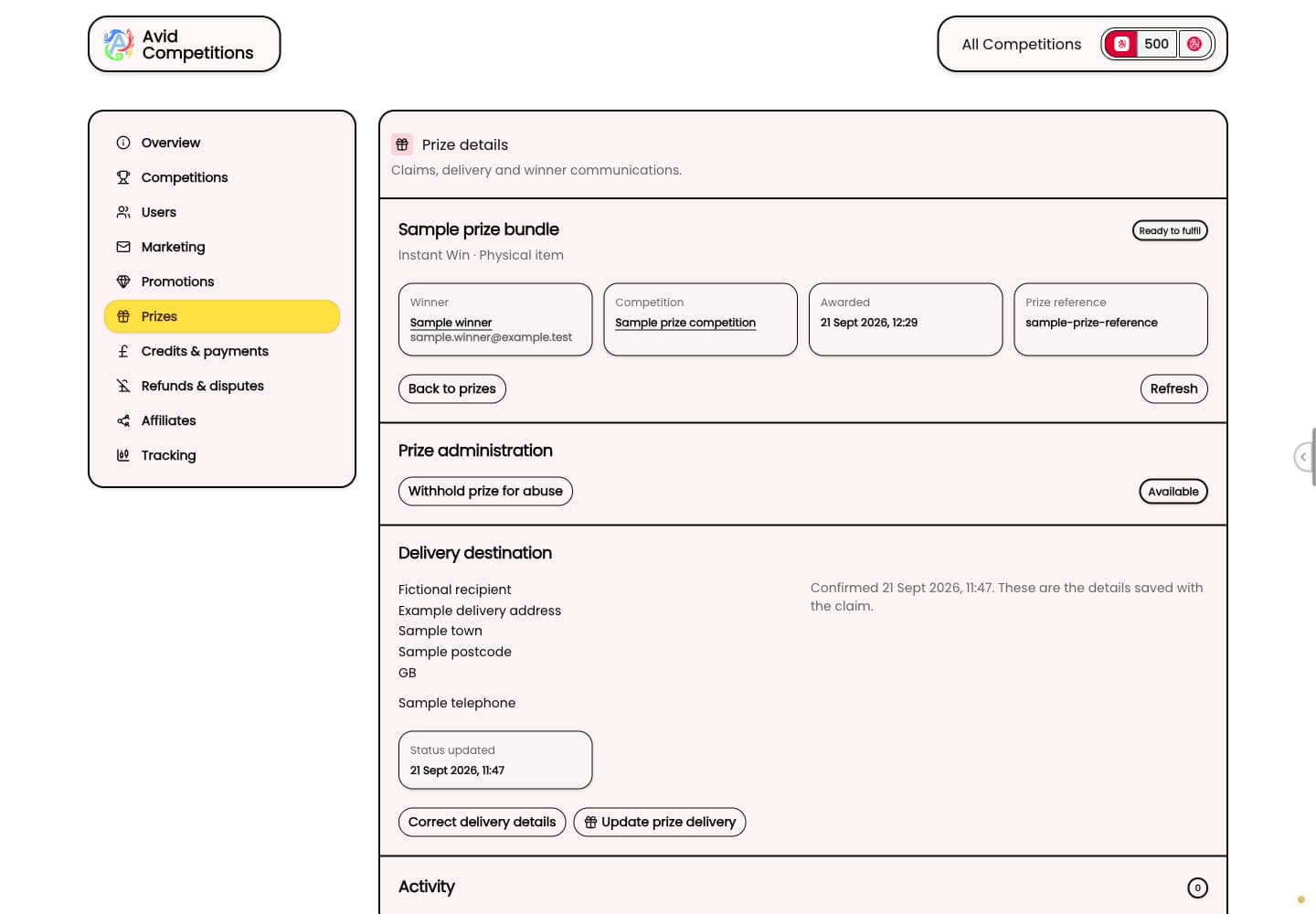
Closing entries, running the main draw and publishing its result are separate stages. Prize administration continues after that, with winner claims and delivery records. The operator supplies and sends the prize, while the software helps keep track of the work.
In a demonstration, follow one sample prize from the competition through to the claim and delivery information. Check which parts your team will do and where you will record progress. That gives you a practical basis for assigning responsibility before customers are waiting for an answer.
View full-size screenshot (opens in a new tab)
Preparing customer email
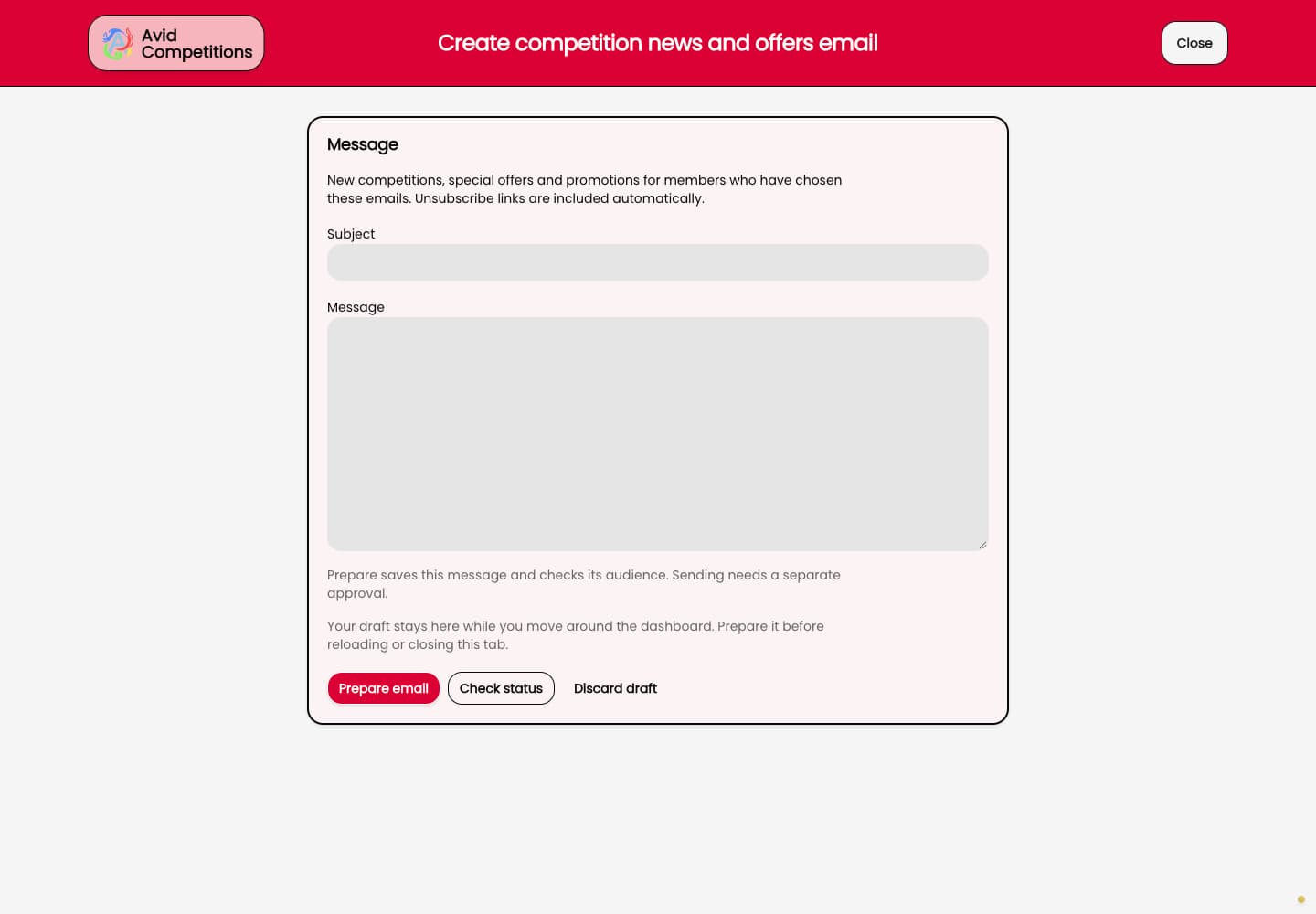
The email tools cover newsletters, campaigns and individual customer messages. Visitors can subscribe without creating an account, and members can choose relevant marketing topics. Campaign preparation includes a content review before sending or scheduling, with sending progress and delivery feedback available afterwards.
Start a walkthrough with a particular message and audience in mind. For example, you might want to tell opted-in subscribers about a new competition. Reviewing the audience and finished content together is a useful way to check the process your team will follow.
View full-size screenshot (opens in a new tab)
Looking at recorded activity
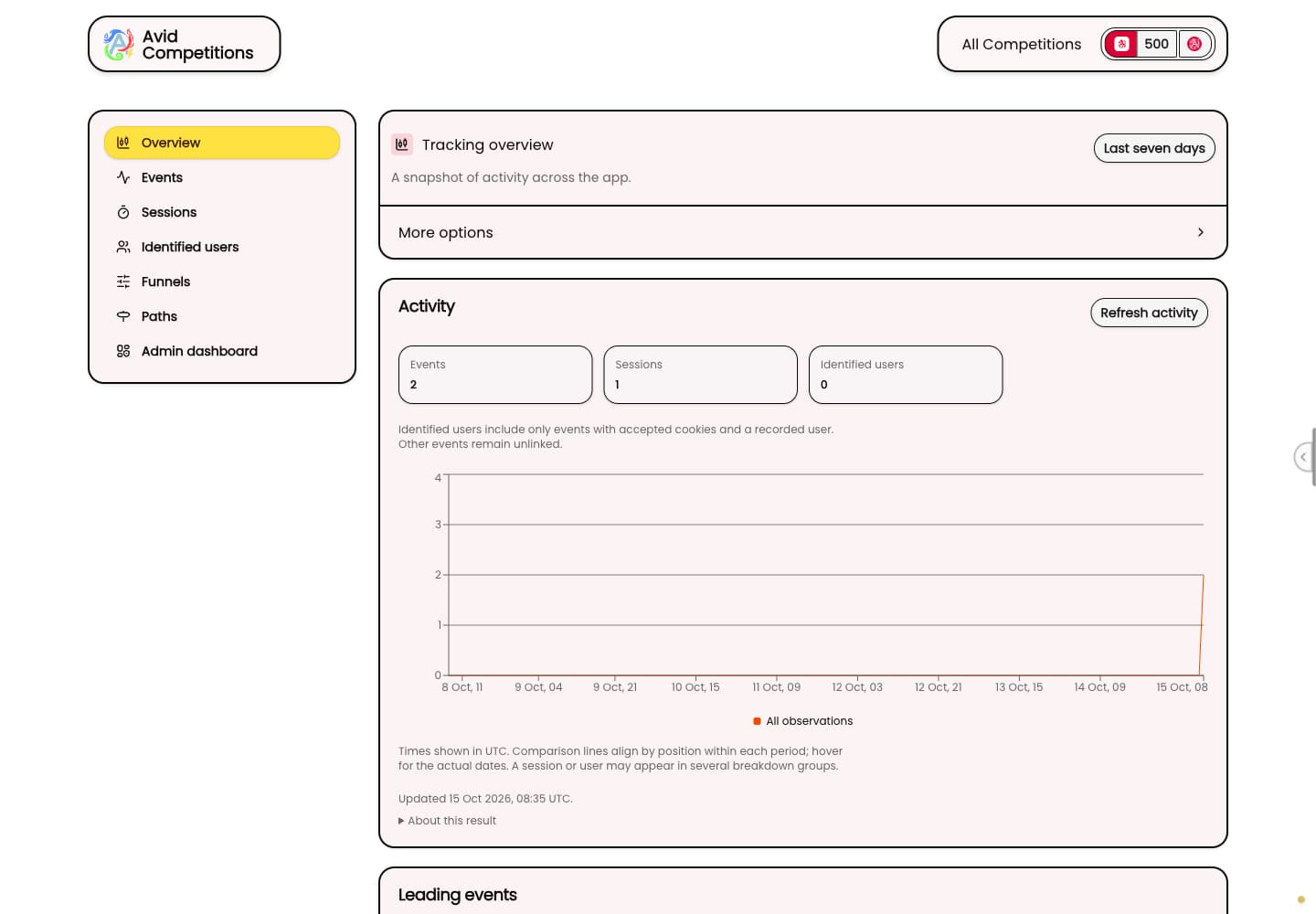
Analytics covers recorded events and sessions, filters, funnels, paths and saved views. You can examine steps in an entry journey or return to a view you have saved. These records give you questions to investigate; a change in a count does not, on its own, explain why a customer stopped.
If you use the affiliate tools, the administration also covers applications, referral links, rewards and payout records. Bank transfers happen outside the application. Recording a payout keeps the record up to date after you make the transfer.
View full-size screenshot (opens in a new tab)
Bring a real operating question
A useful walkthrough starts with the work you expect to do. Tell us how you plan to run competitions, who will handle customer questions and how you want to manage prizes. We can then show you the relevant tools and discuss the setup your business needs.
You can explore the sample customer website or arrange an operator walkthrough through the Livid Competitions page.