Case Study - A quick reset for stale service workers
A free, proprietary Chrome extension we built to inspect and reset service workers and Cache Storage for the current origin.
- Client
- Service Worker Manager
- Year
- Service
- Product development, Developer tooling, Chrome extension
Overview
We kept running into the same problem when switching between local projects. Apps reused localhost ports, but old service workers and cached files stayed behind. The next project would load stale assets and look broken even when its code was fine.
We built a tool to see what was left behind and clear it without opening DevTools each time. We used it in our own work, then published it as a free Chrome extension so other developers could use it too.
Top tip
Service Worker Manager is free to use and available on the Chrome Web Store. Keep it pinned for the moments when stale localhost state starts wasting time.
Install the extension
Need help or want to review data handling first? Read the support page and privacy policy.
Want a quick walkthrough first? Watch the
YouTube video
.
What we did
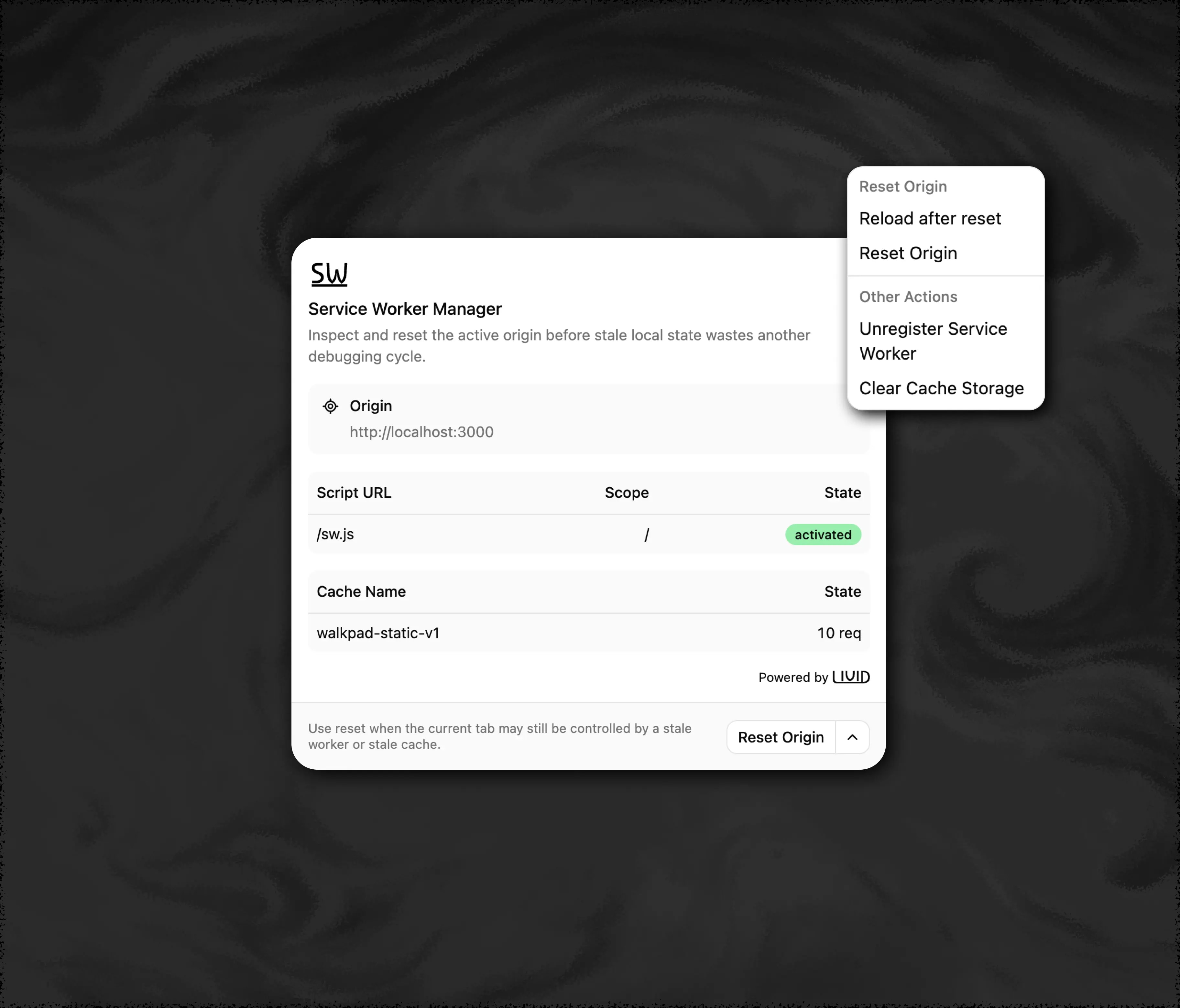
The popup shows service worker registrations and named caches for the active tab’s origin. You can unregister workers, clear caches or reset both at once. If the page is still using stale state, you can choose to reload it after the cleanup.
Everything runs locally in the browser, with permissions limited to the job. The extension acts on the current origin; it doesn’t clear other sites in bulk, contact remote services or collect telemetry.
It’s built for developers working with progressive web apps, offline-first apps and local projects where service workers can outlive the session that created them.
- Developer Tooling
- Chrome Extension
- Service Workers
- Localhost DX
We built Service Worker Manager for ourselves first. Stale workers on reused localhost ports kept turning healthy apps into false negatives. Once it became part of our regular debugging flow, publishing it for other developers was the obvious next step.
- To use for developers
- Free
- Local processing
- 100%
- Data transferred
- 0
- telemetry or remote services
- 0